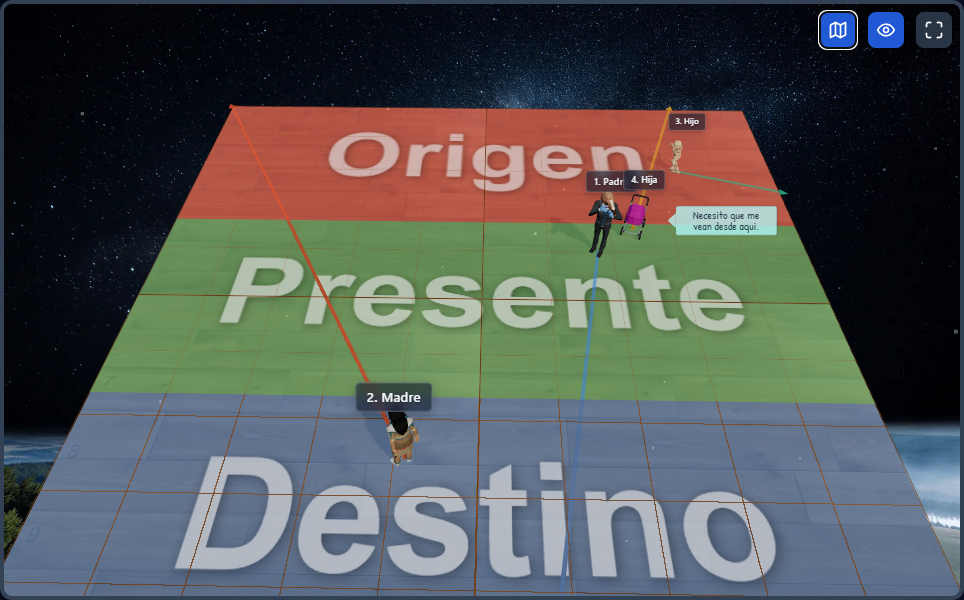
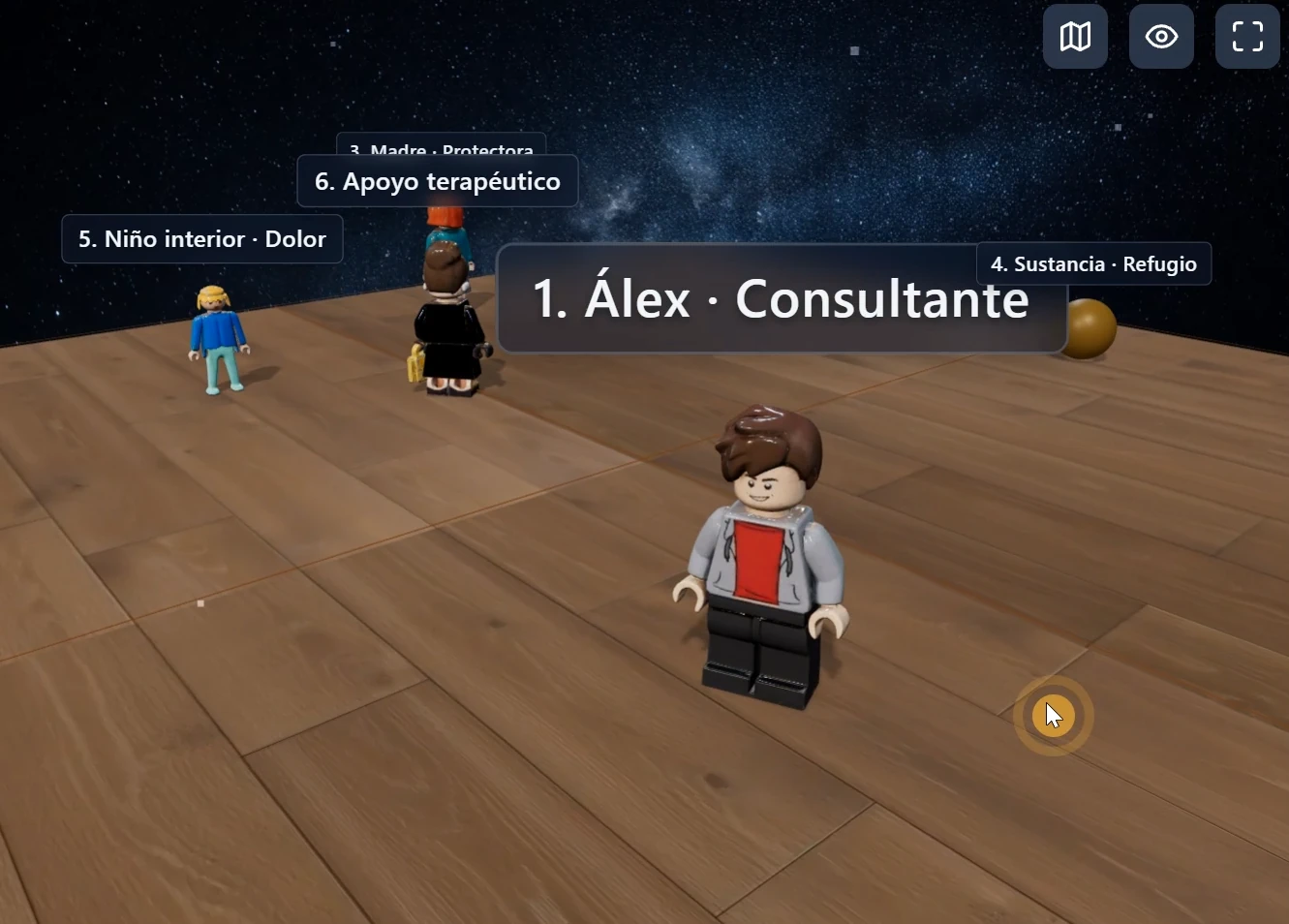
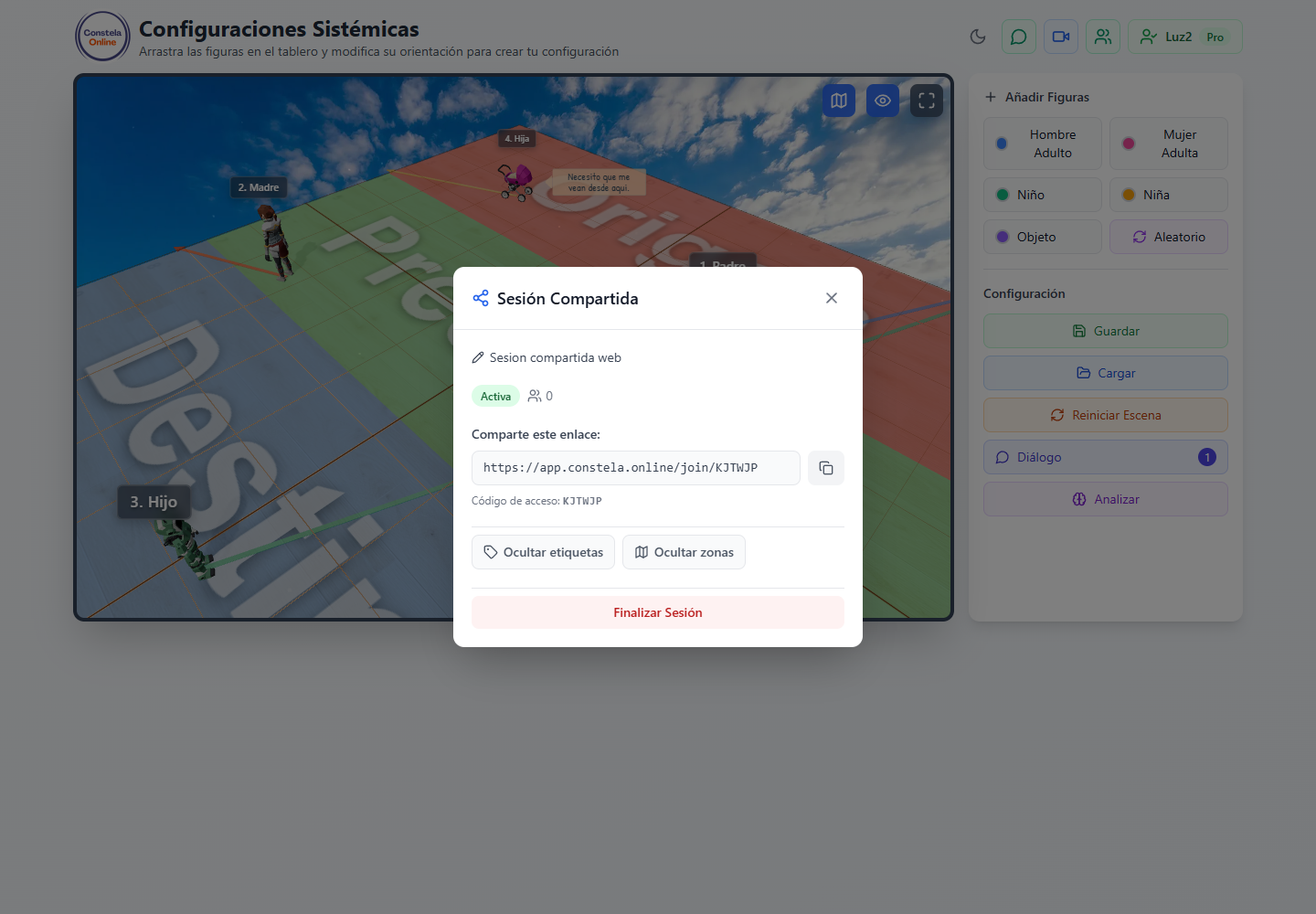
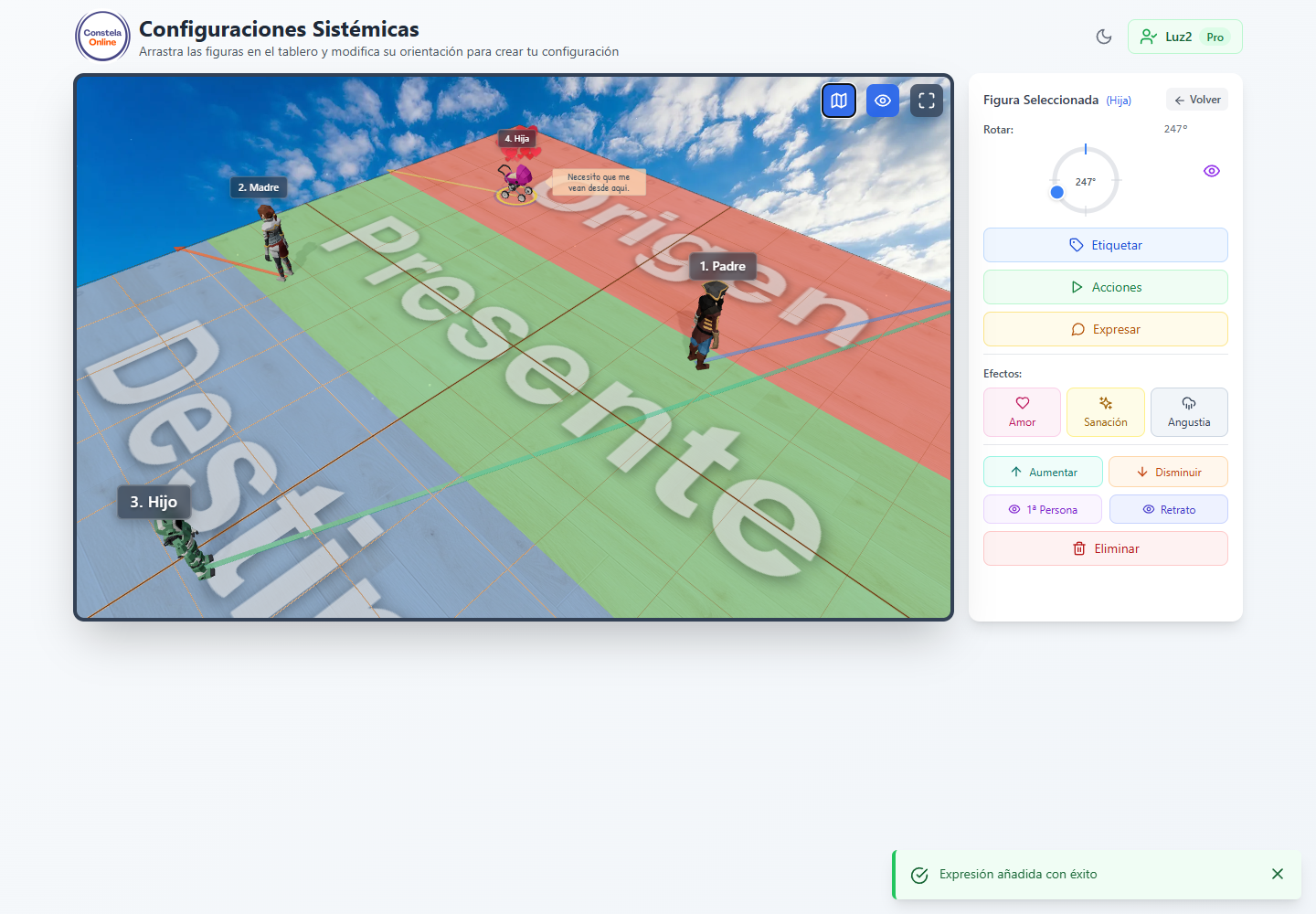
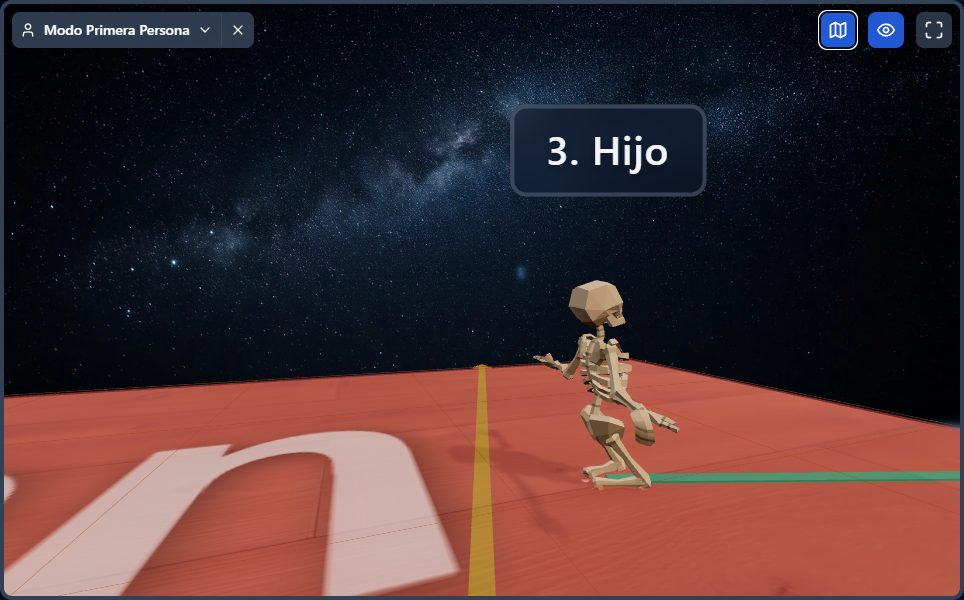
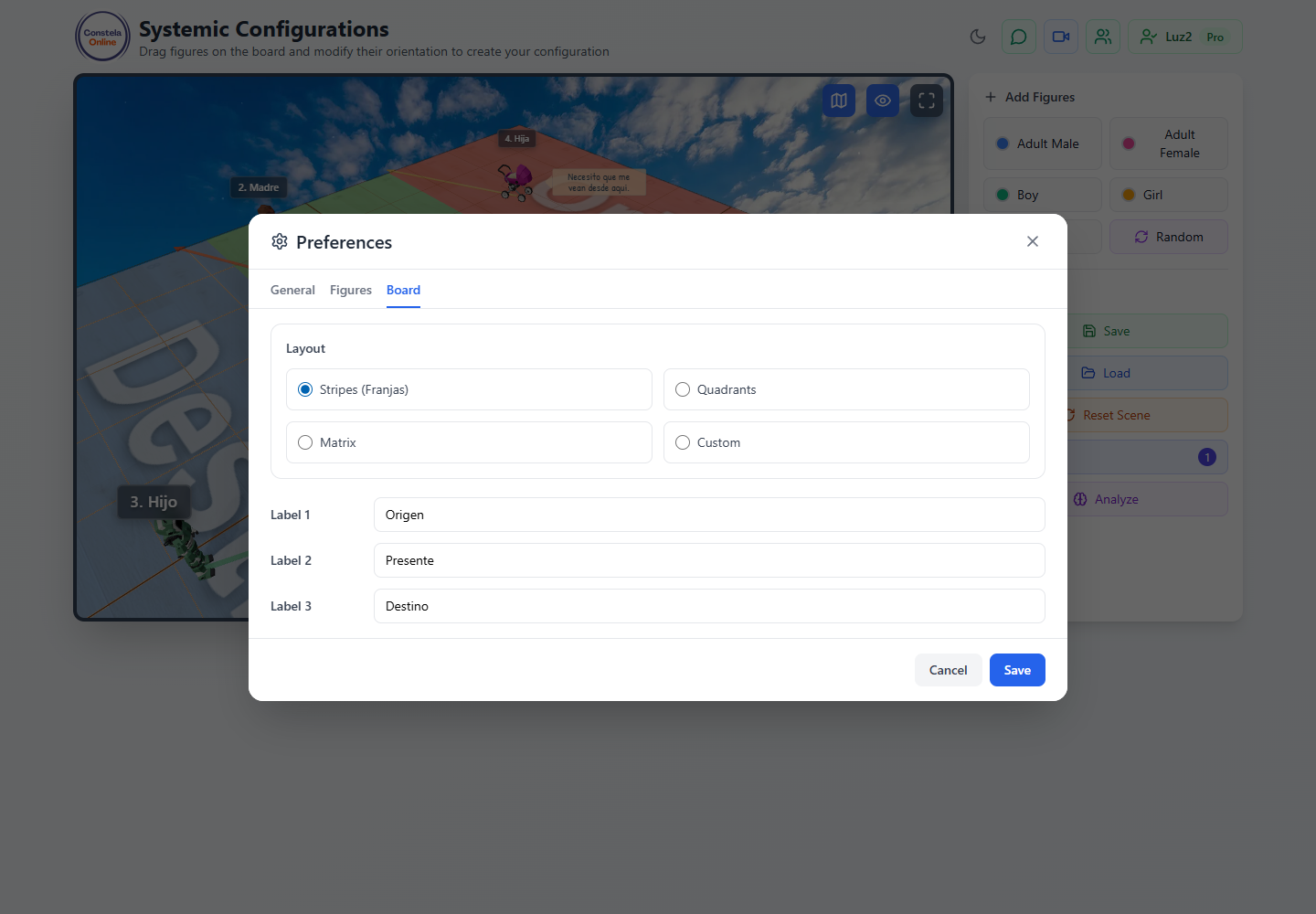
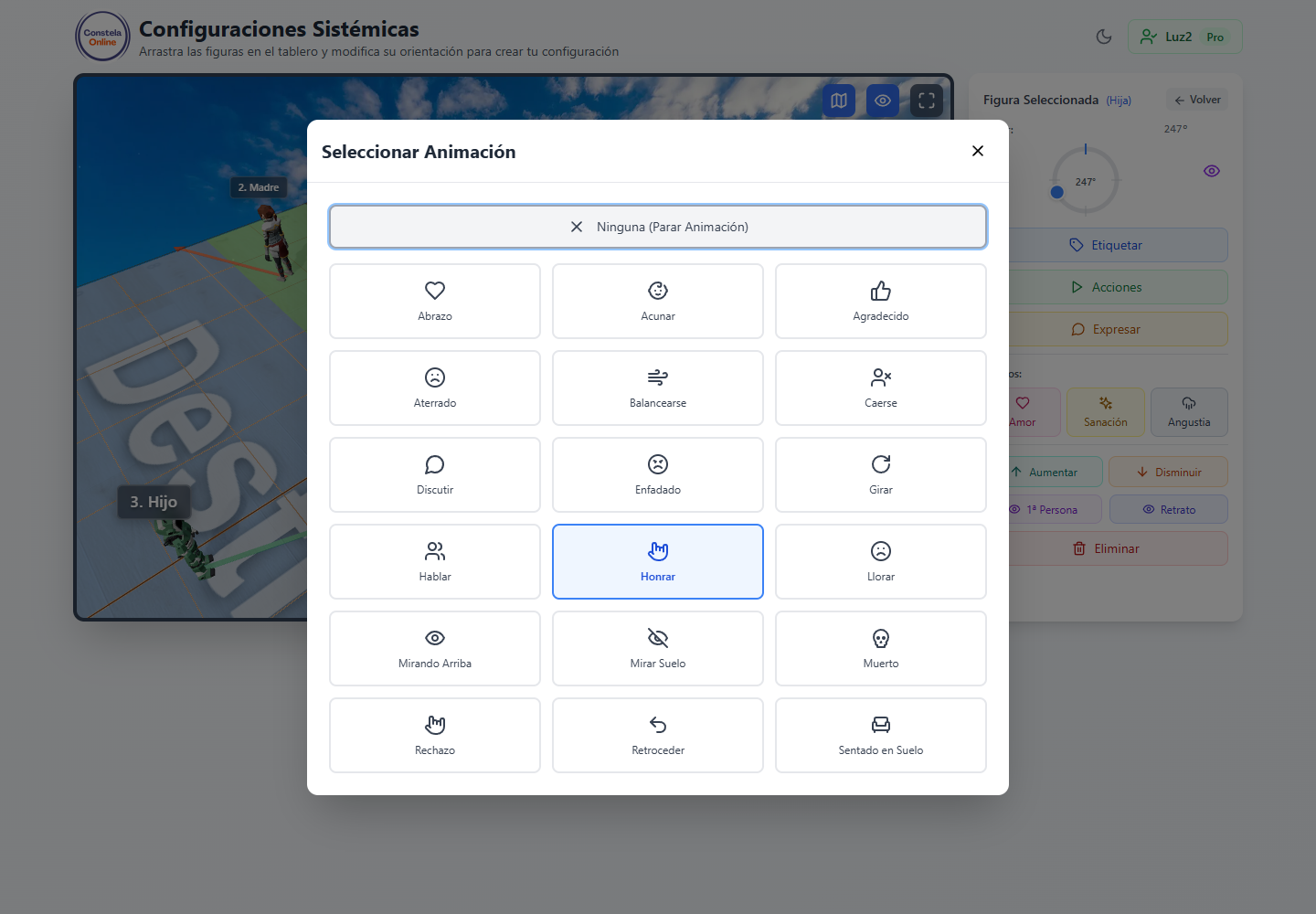
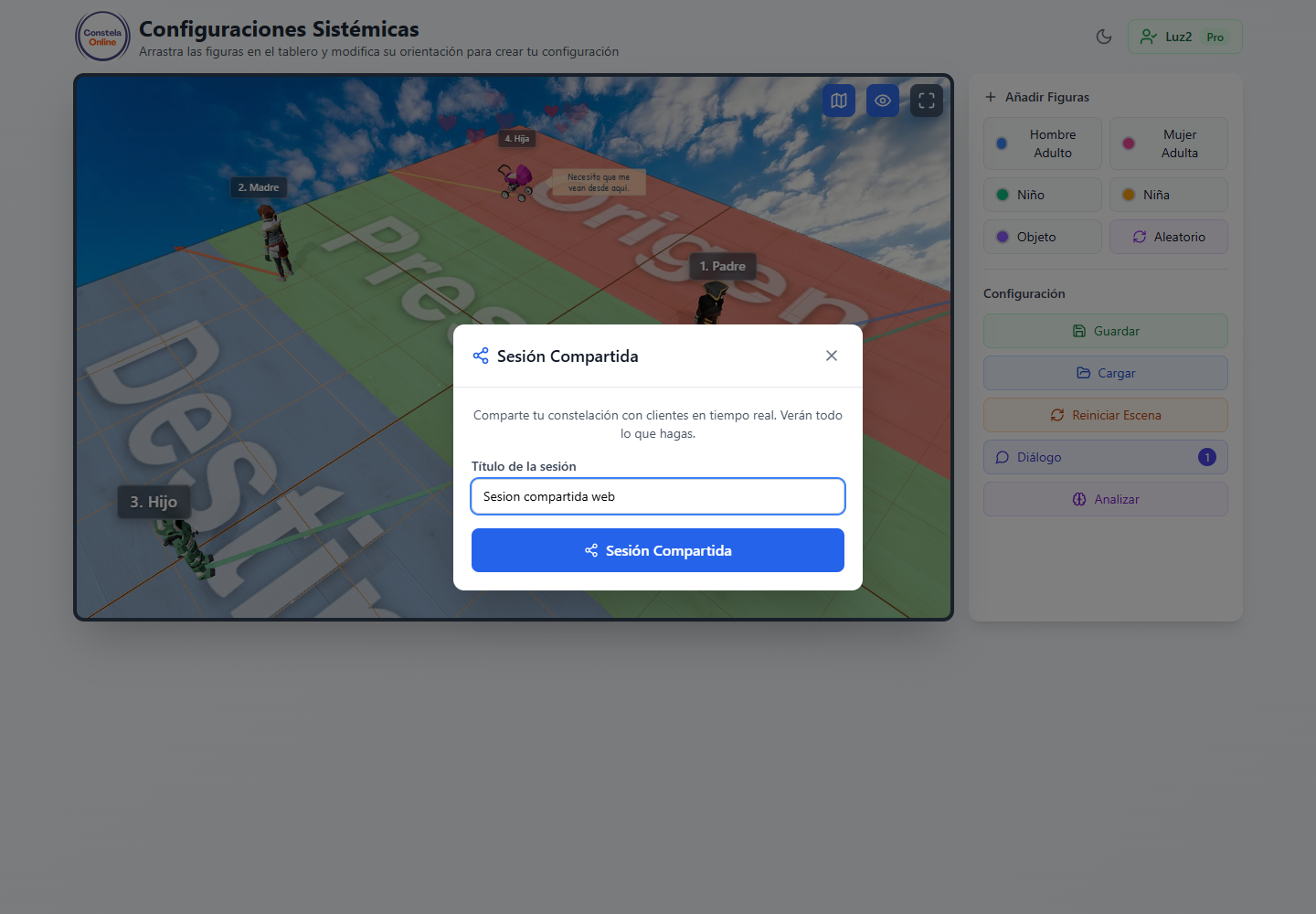
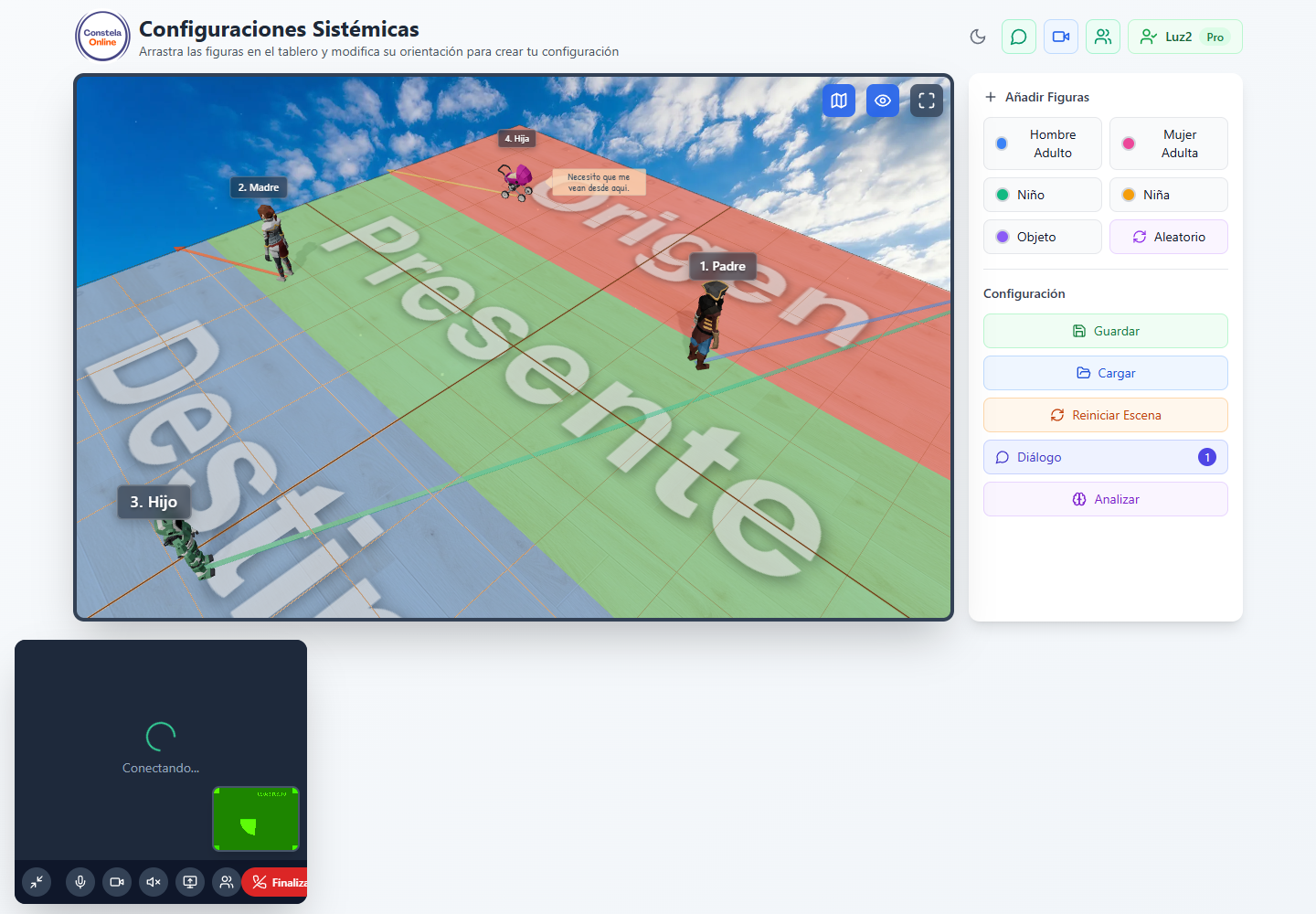
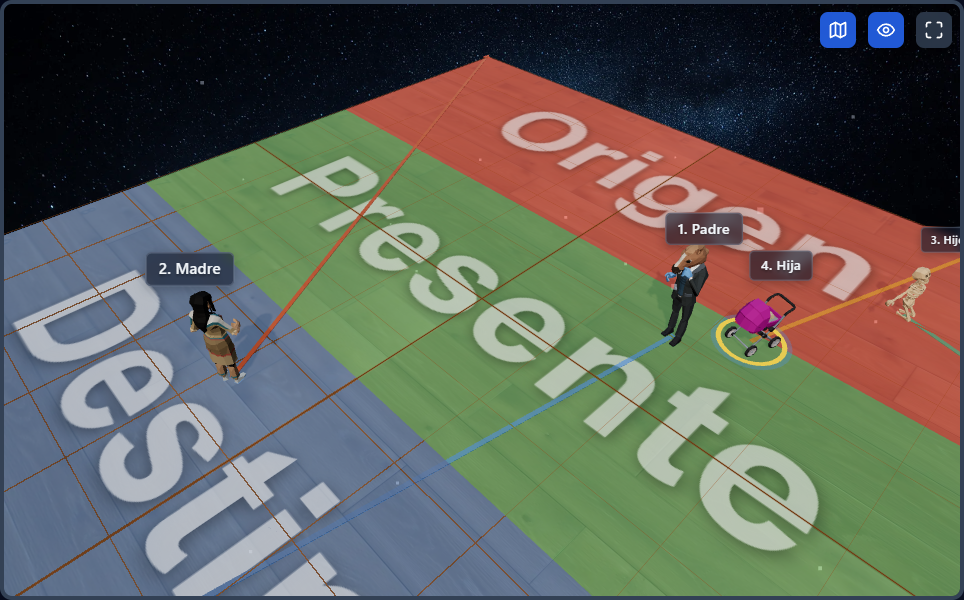
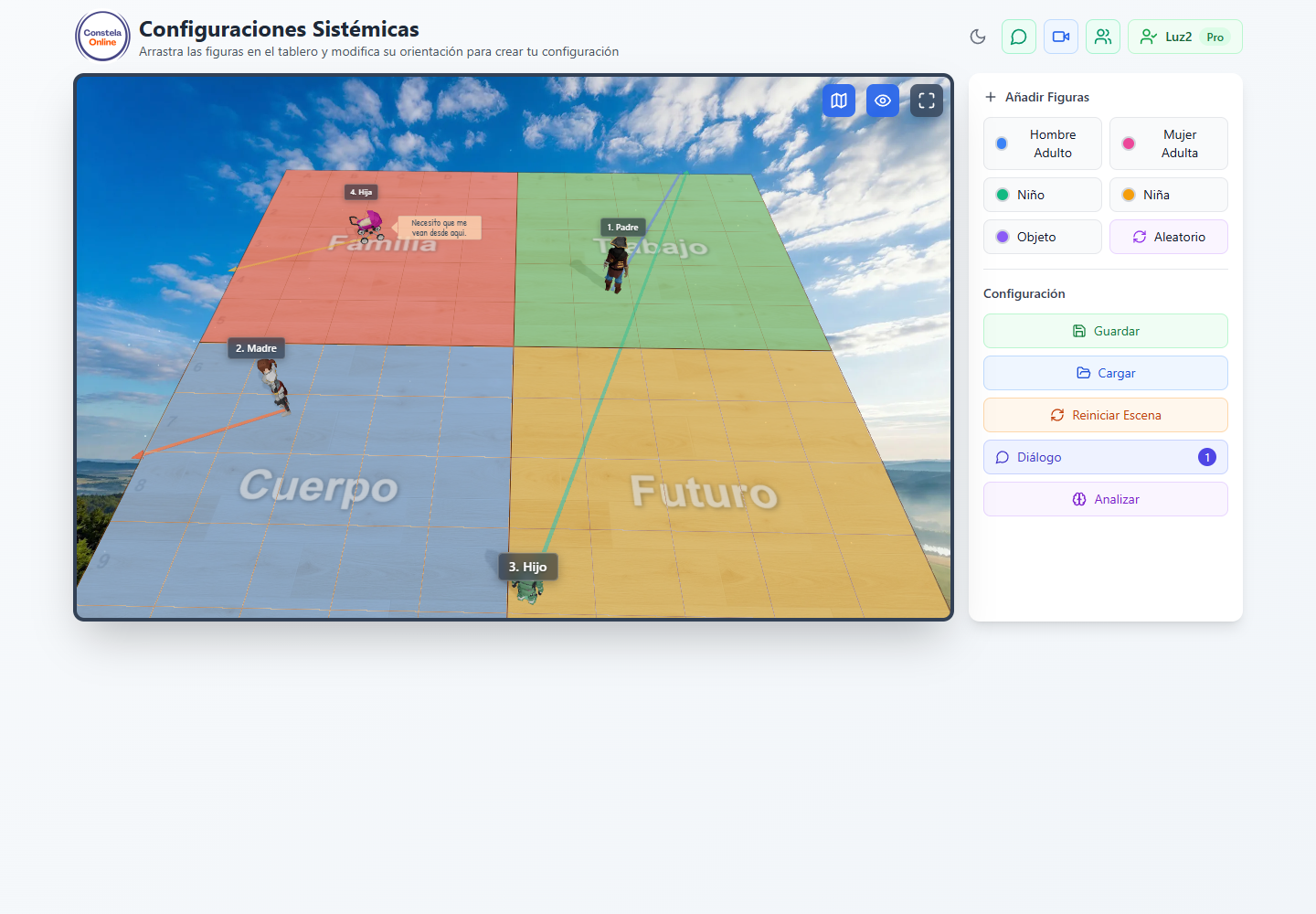
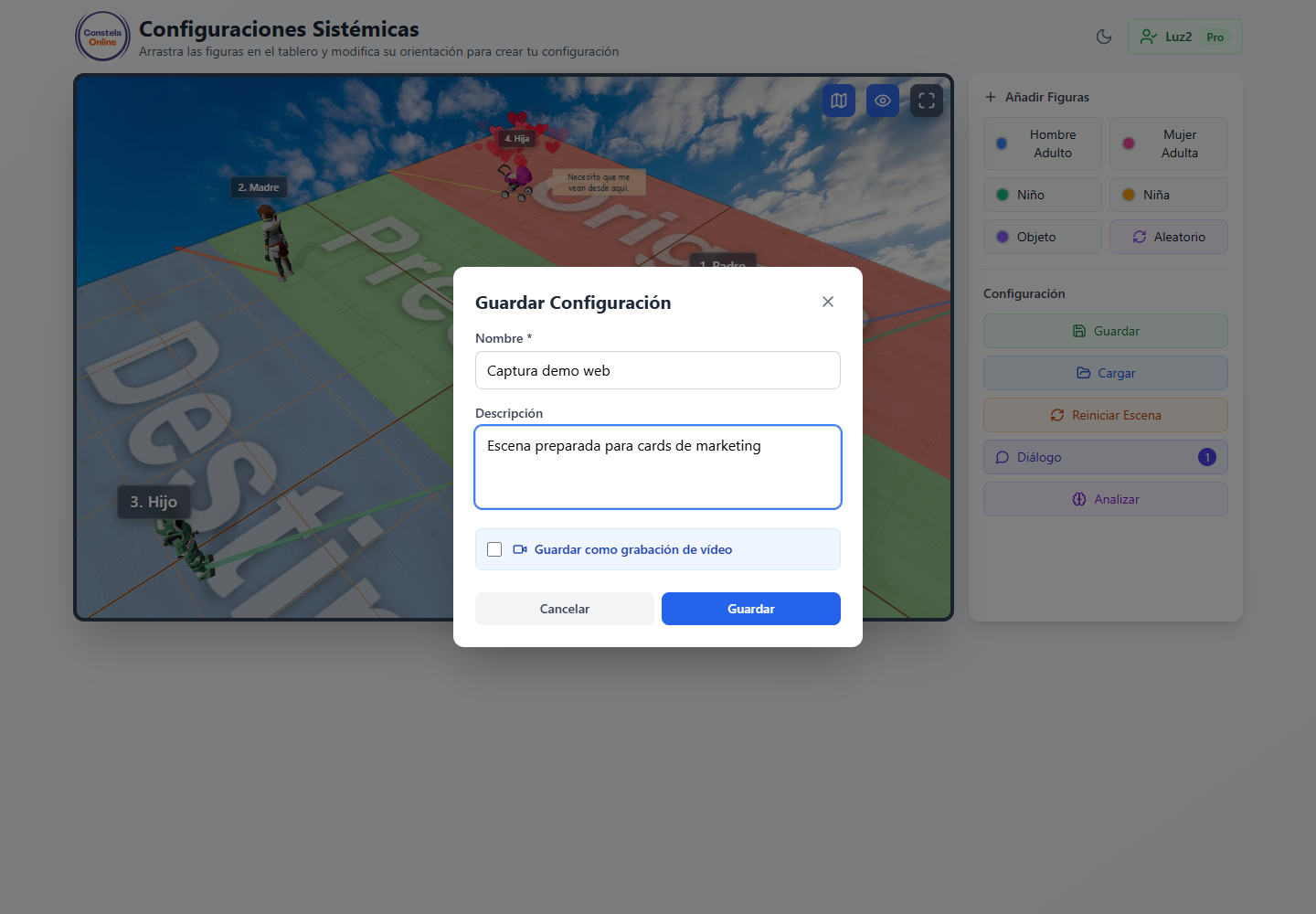
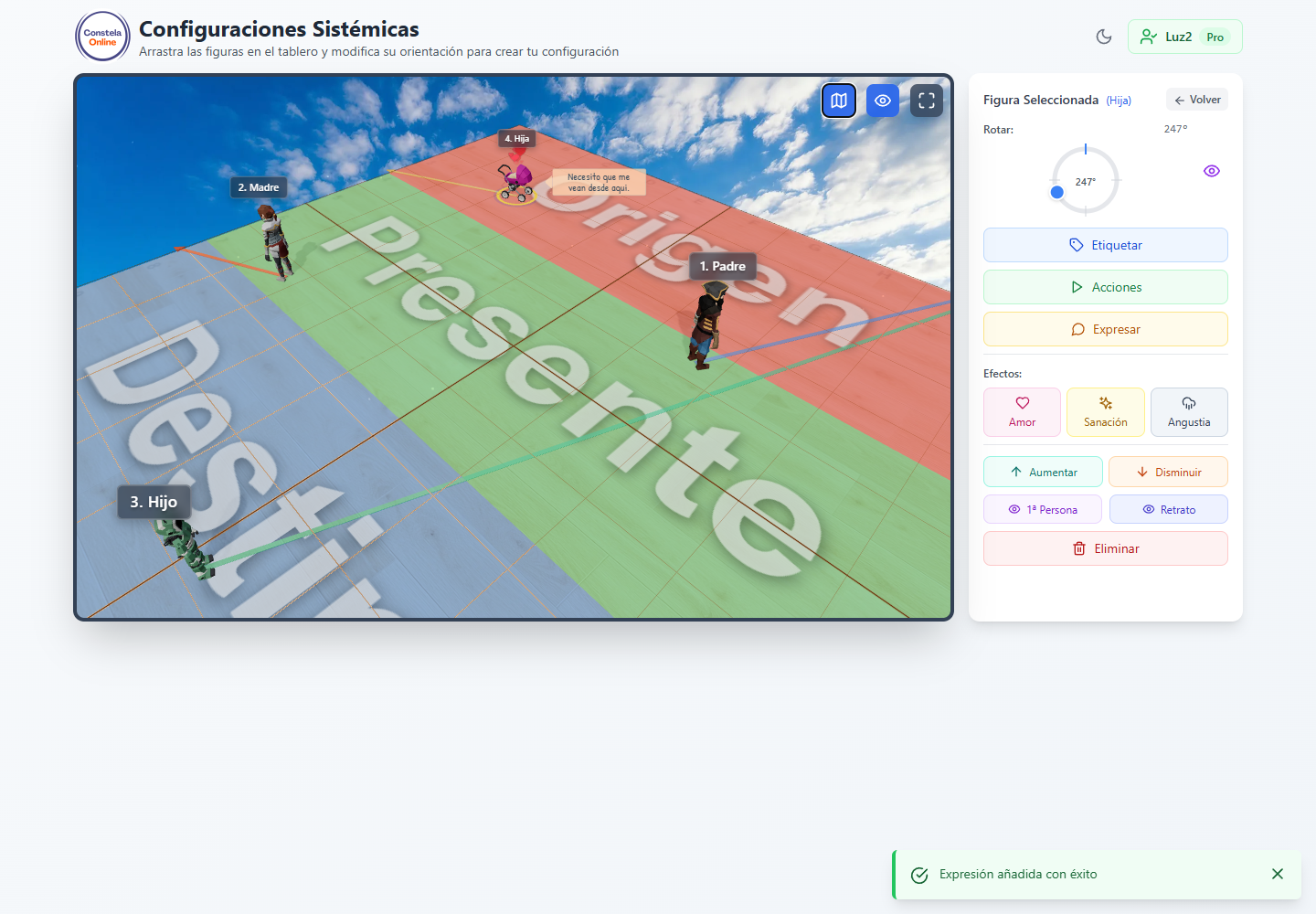
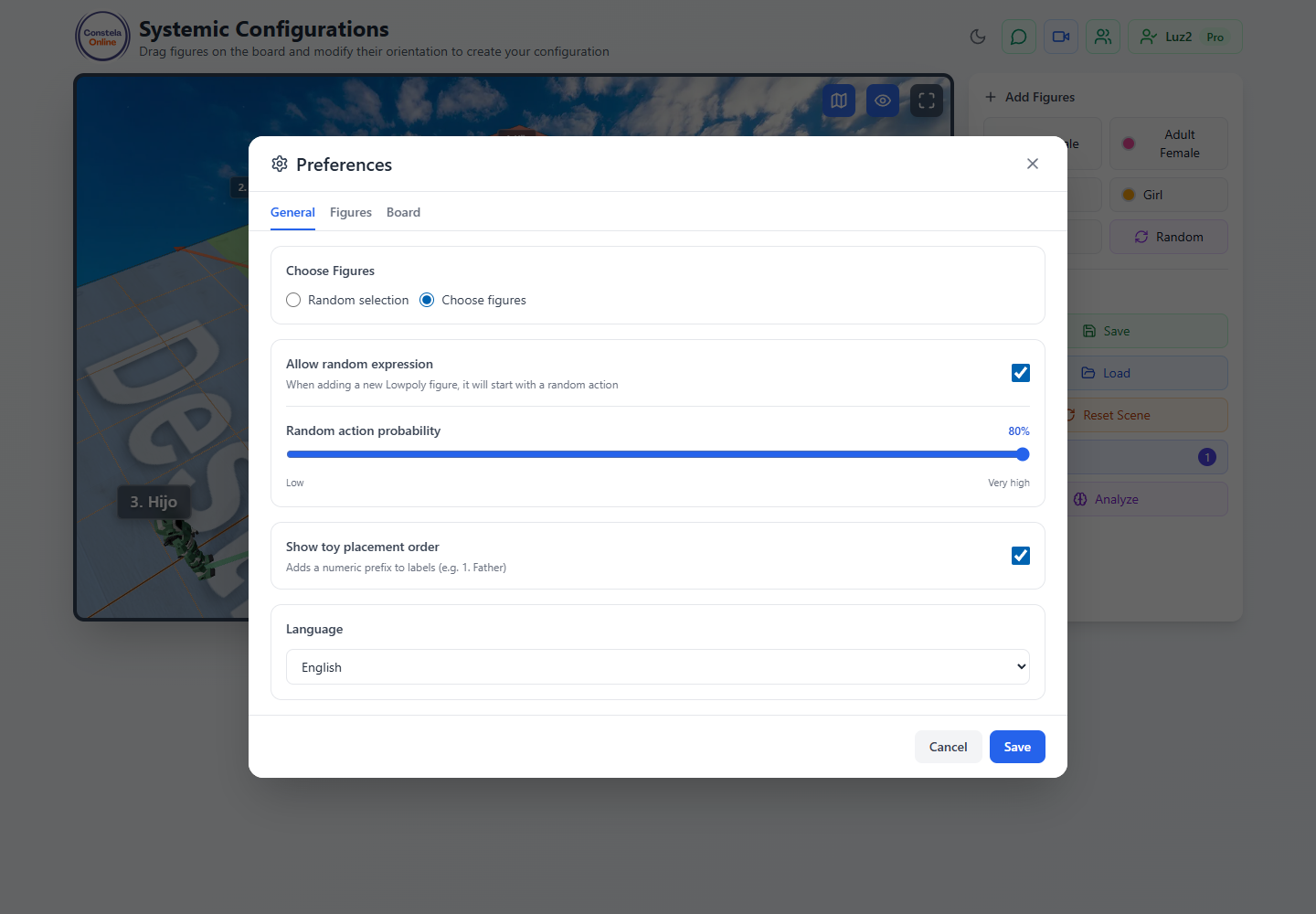
A real board view with zones, figures, labels and emotional expression.
A simple process
An online session in three steps
You do not need to be confident with technology. Constela keeps the process simple so you can focus on the session itself.
1
Open the room
Constela remembers your usual setup. You can change the board or the type of figures before you begin, but if everything is already how you like it, there is nothing else to prepare.
2
Share access
Send your client a link or code. They do not need to install anything or pay for an account.
3
Work together
You meet in the same visual room. You guide the session and decide what each person can see or move.
For your client
As simple as opening a link
Your client does not have to learn a new platform. They enter the room you prepared and follow your guidance.
1
Open the link
They open the invitation you sent in their browser.
2
Enter their name and join
They go straight into the room without creating an account or choosing a plan.
3
Follow your guidance
They participate only with the controls you make available during the session.
They only need an up-to-date browser and a stable connection. There is nothing to install and no platform fee for your client.
Your client's journey, from receiving the invitation to joining the shared room.
For you
You facilitate; Constela provides the space
The platform does not change the way you support people. It provides a visual room while you remain in control of the session.
1
Open your room
It is ready with the preferences you normally use.
2
Adapt it if needed
You can change the board or figures, but you do not need to configure them every time.
3
Invite and facilitate
Share access and guide the session while controlling movements, views and permissions.
4
Save it for later
If your plan includes it, keep the scene to review or continue on another day.
How you will prepare, share and guide a session as the facilitator.
Benefits
Built to expand your practice
The platform helps therapists and facilitators move their sessions online without losing structure, depth or visual presence.
01
Reach more clients
Work with people across countries and cultures without depending on a single city or physical office.
02
Online practice ready
Open your room from a laptop at home or while traveling, with no complicated setup.
03
Case study groups
Run training groups, supervision and research processes with remote participants on one shared board.
04
Systemic decision-making
Use blind movements, zones and viewpoints to explore choices, relationships and projections.
05
Lower operating friction
Save time, reduce travel and keep continuity with clients without renting a consulting room.
06
Work in your own style
Use open or blind sessions, guided or random figures, and board layouts that match your method.
Product proof
What your client actually sees
Shared session
Send a link, activate the room and decide which labels or zones each participant can see.
Guided perspective
Switch between wide views, portrait framing or first-person perspective to refine the experience.
Board configuration
Use stripes, quadrants, matrix or custom zones depending on the type of work you are facilitating.
Next step
Choose the path that fits your practice
Most professionals need to see the room in action before choosing a plan. That is why you can choose between a free demo, a training walkthrough, and a guided trial.
Free demo
For facilitators, therapists, and coaches who want to see the complete flow before trying it.
Every feature is aimed at helping you facilitate better: stronger visual language, better remote coordination and tighter control of the therapeutic frame.
Animated figures
More than 200 figures and archetypes
Adults, children, objects and archetypes with postures and animations that make key dynamics visible.
Synchronization
Real-time shared sessions
Everyone sees the same scene instantly, from anywhere and on any modern device.
Communication
Built-in chat and video
Support conversation, emotional reporting and individual guidance without leaving the main experience.
Labels
Names only when you want them
Assign roles or names to figures and hide or reveal them according to the intervention you are guiding.
Control
Moderation and permissions
The facilitator decides who moves, who watches, which figure each person controls and which panels are available.
Timelines
Stripes, quadrants and custom zones
Turn the board into a timeline, a polarity map or a systemic space adapted to your approach.
Saved scenes
History and session video
Save scenes by name and date, load them later and, in advanced plans, record the session as video.
Expressiveness
Emotions, effects and actions
Make sensations and needs visible with effects such as love, healing, distress and guided movement.
Multilingual
Spanish, English and Portuguese
The experience can switch languages from preferences and is ready to expand to additional locales.
“Easy to use and genuinely innovative. It breaks time and distance barriers, and the support team is always ready to help.”
Celina SasiainUruguay
“It allows me to run individual and group constellations with people from different parts of the world. It gives me comfort and freedom.”
Ana BolívarSpain
“I can run remote workshops and manage my time more effectively. It changed the way I work as a family constellation facilitator.”
Susana RodríguezSpain
“It is practical, easy to use and keeps me available for my clients no matter where we are or when we work.”
Patricia HoyleUSA
“I run all my online trainings on this platform. It is essential in my work and the field manifests with surprising strength.”
Luz RodríguezSpain
App
A web app ready for live work
Constela Online is designed to reduce technical friction and leave room for the process. Open the room, share access and start working.
Web-based
Cloud stored
Nothing to install
FAQ
Clear answers before you start
Does it work like an in-person constellation?
It is not identical, but it still creates intimacy, presence and phenomenological strength. Many clients are surprised by how effective remote work can be.
How many people can join?
Group work can reach up to 50 participants depending on the plan. The Plus plan covers workshops up to 10 people.
How do I communicate with clients?
The platform includes chat and one-to-one video calling, and it can also run alongside Zoom, WhatsApp or Google Meet.
Do I need special hardware?
No. A reasonably current computer or phone, a modern browser and a stable internet connection are enough.
Do my clients have to pay to use it?
No. Clients join through a browser using a link or code and only pay for your session, not for access to the platform.
Can I buy it instead of renting it?
Today it is offered as a cloud service because it requires maintenance, support and active resources. The benefit is always working on the current version.
Are there options beyond subscriptions?
Yes. You can buy one month of Basic or a one-week Pro trial with a single payment and no automatic renewal.
Is activation immediate?
After payment is confirmed, access is activated automatically for the account using the same email.
Pricing
Choose the plan that matches your way of facilitating
Basic covers individual constellations. Plus adds group work, zones and saved scenes. Pro expands participant count, customization and cloud video.
Pay yearly and save the cost of 2 months.
Basic
Basic
Best for individual remote constellations.
45€/month450€/year
Individual constellations
Basic lego and animated figures
Facial expressions and animations
Unlimited sessions
Technical support
Recommended
Plus
For workshops, saved scenes and advanced facilitation tools.
63€/month630€/year
Everything in Basic
Workshops for up to 10 people
Extra figures
Unlimited cloud scene saving
Timelines and projective zones
Video conferencing
Pro
Pro
For trainings, larger groups and maximum flexibility.
79€/month790€/year
Everything in Plus
Workshops for up to 50 people
All figure packs, including archetypes
Cloud video storage
Custom board zones
Full feature set
No subscription
One-off access options
Activate a one-off access period with a single payment, without enabling automatic renewals.
Monthly access
Basic
One full month of Basic access with no automatic renewal.
€4930 days · one payment
Individual sessions
Online room and figures
30 days of access
No commitment
Pro trial
Pro
Try every Pro feature for one week before deciding.
€157 days · one payment
All Pro features
Groups, video, and customization
7 days of access
No automatic renewal
Secure payment processed by Stripe or PayPal. We never store your card details.
Contact
Tell us how you work, how many people you need to facilitate and what kind of sessions you run. We will point you to the right plan.